 LIONESS
Free plug-in for Rhino 8
Review 3D models in Rhino
BIM and 3D models are now produced faster than people can review them. Lioness gives reviewers in Rhino a consistent process, from the first check to the final report.
Or run _PackageManager in Rhino and search for Lioness.
The right information on every object.
28 checks across solids, meshes and curves.
A quick comparison against the right LOD requirements.
PDF, spreadsheet and BCF, ready to send.
Four steps
Load
Open a Rhino file, or bring a Revit model into Rhino with Rhino.Inside.Revit. The Revit file is never changed.
Check
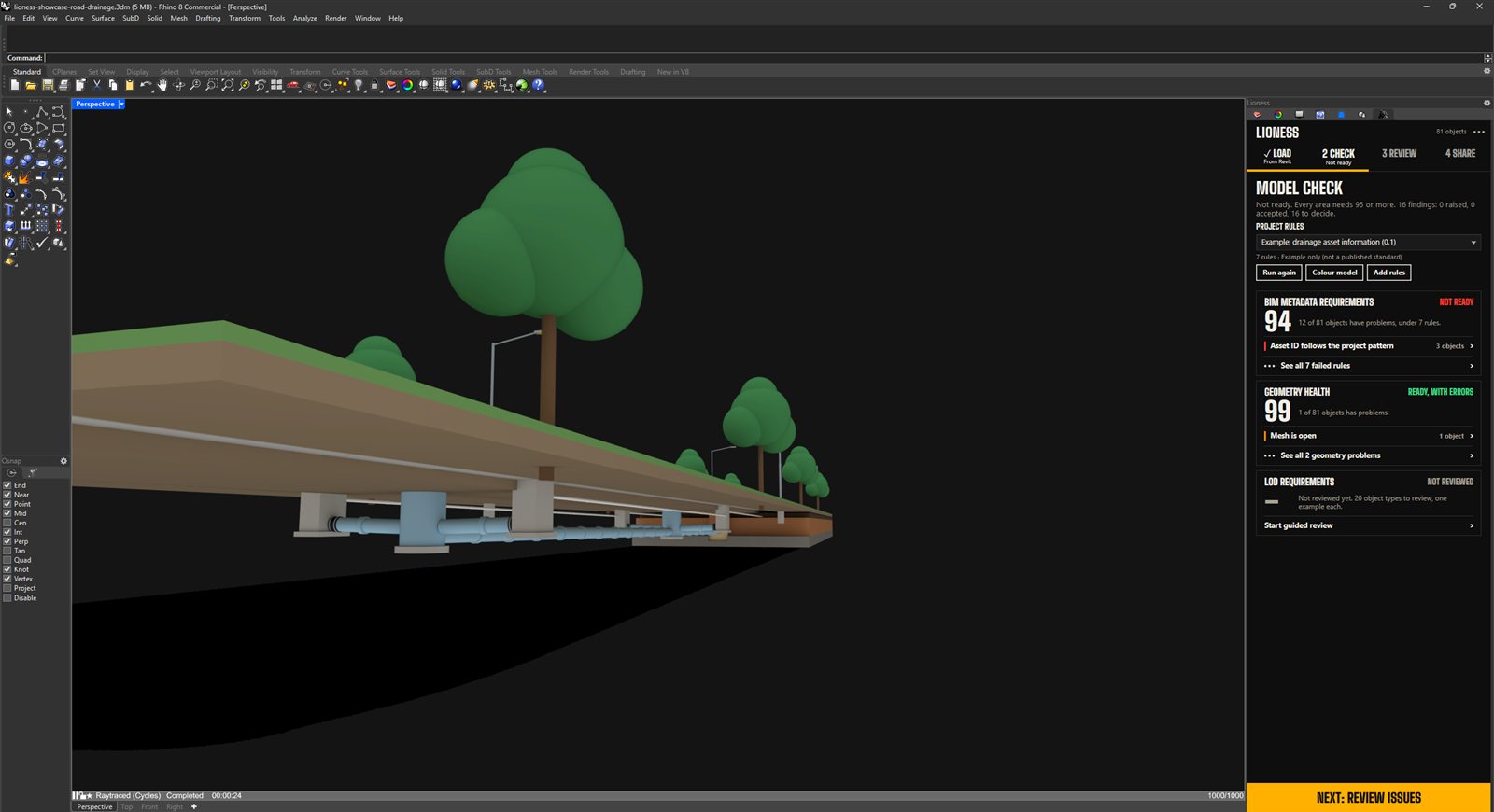
Lioness checks BIM metadata and geometry health for you. For level of detail, it shows each object type beside the LOD requirement and you mark it pass or not pass. Each area ends with a number out of 100.
Review
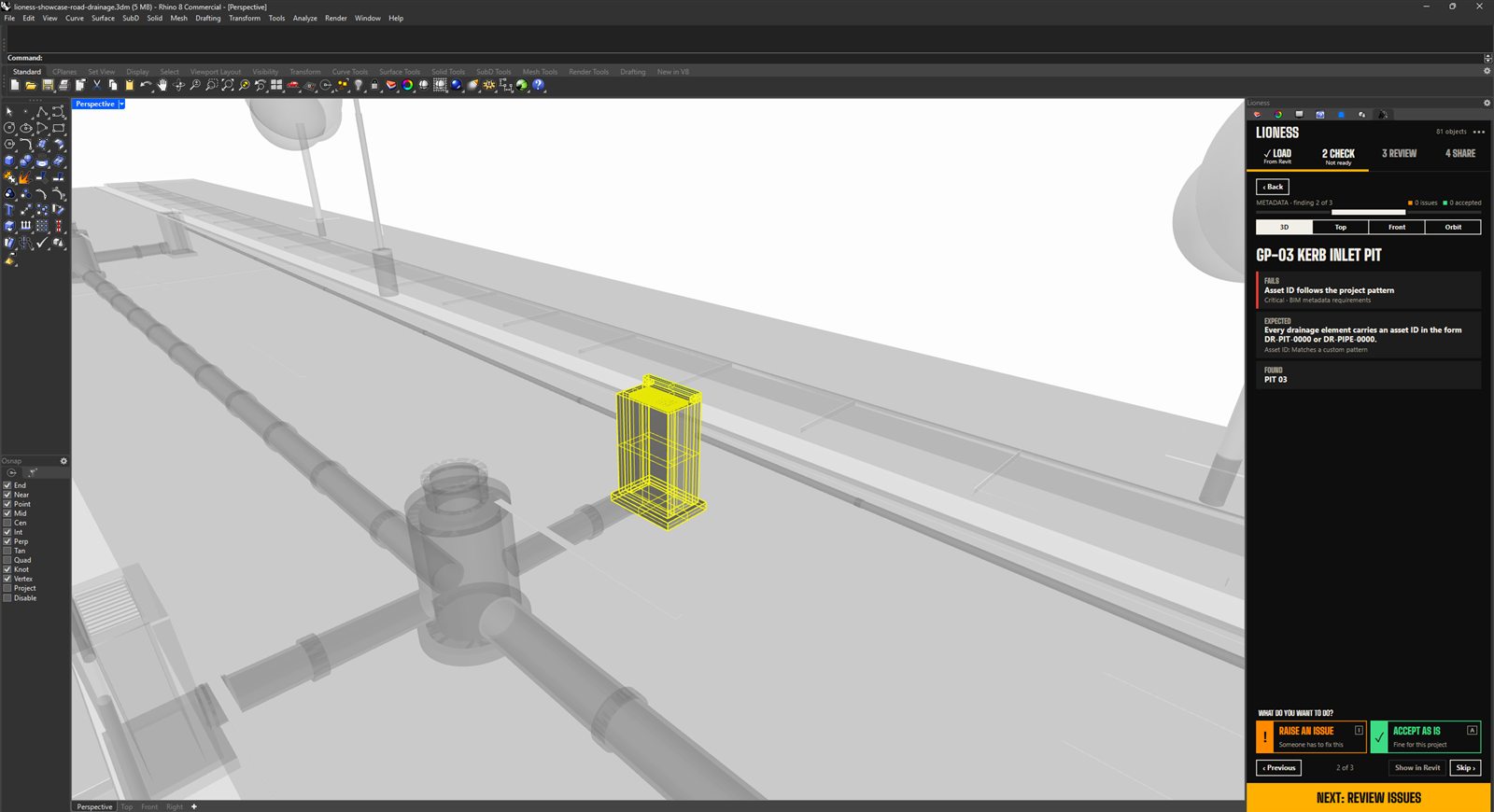
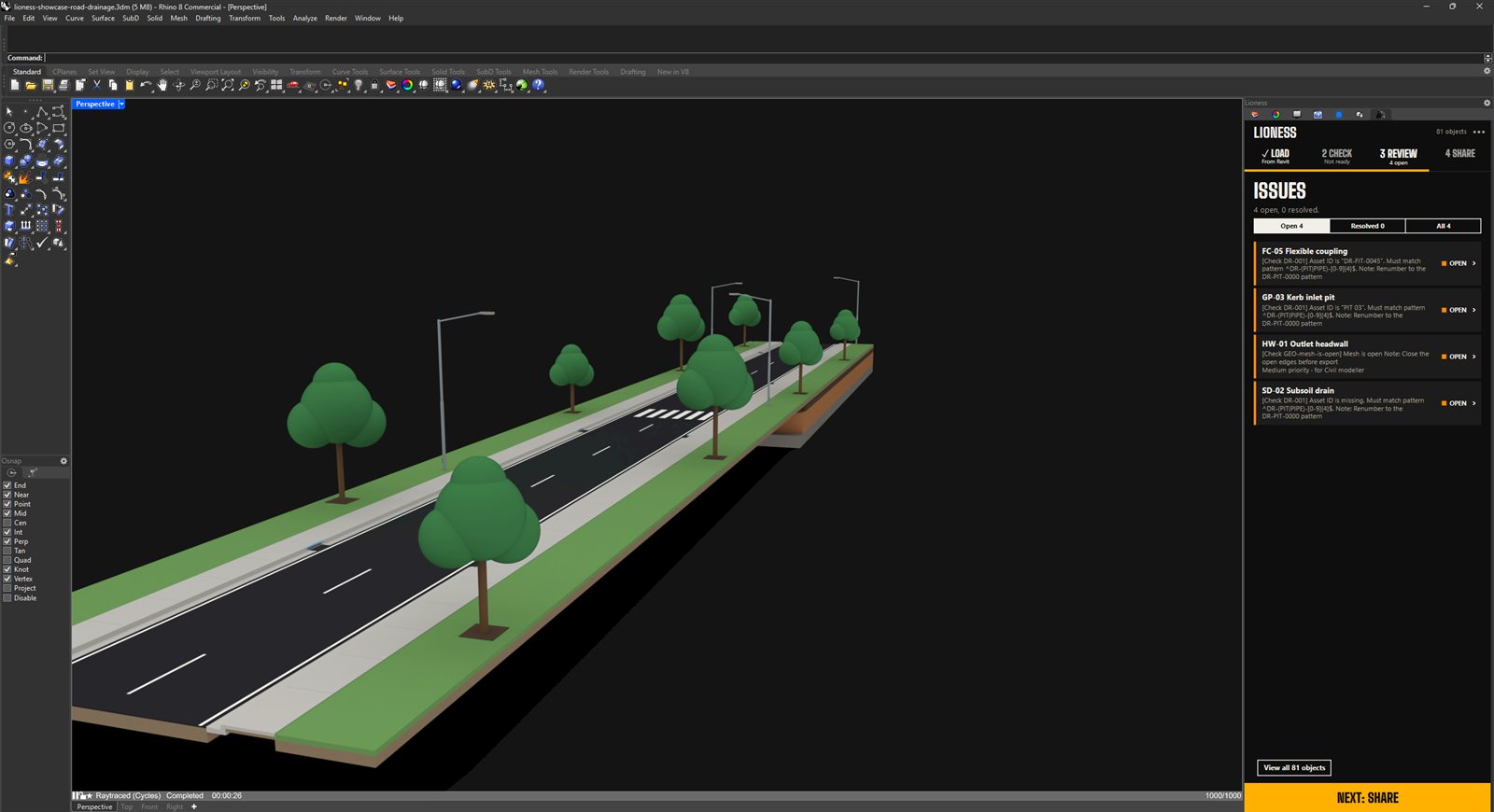
Select a problem to see the object in 3D. Raise it as an issue, or accept it and record the reason.
Share
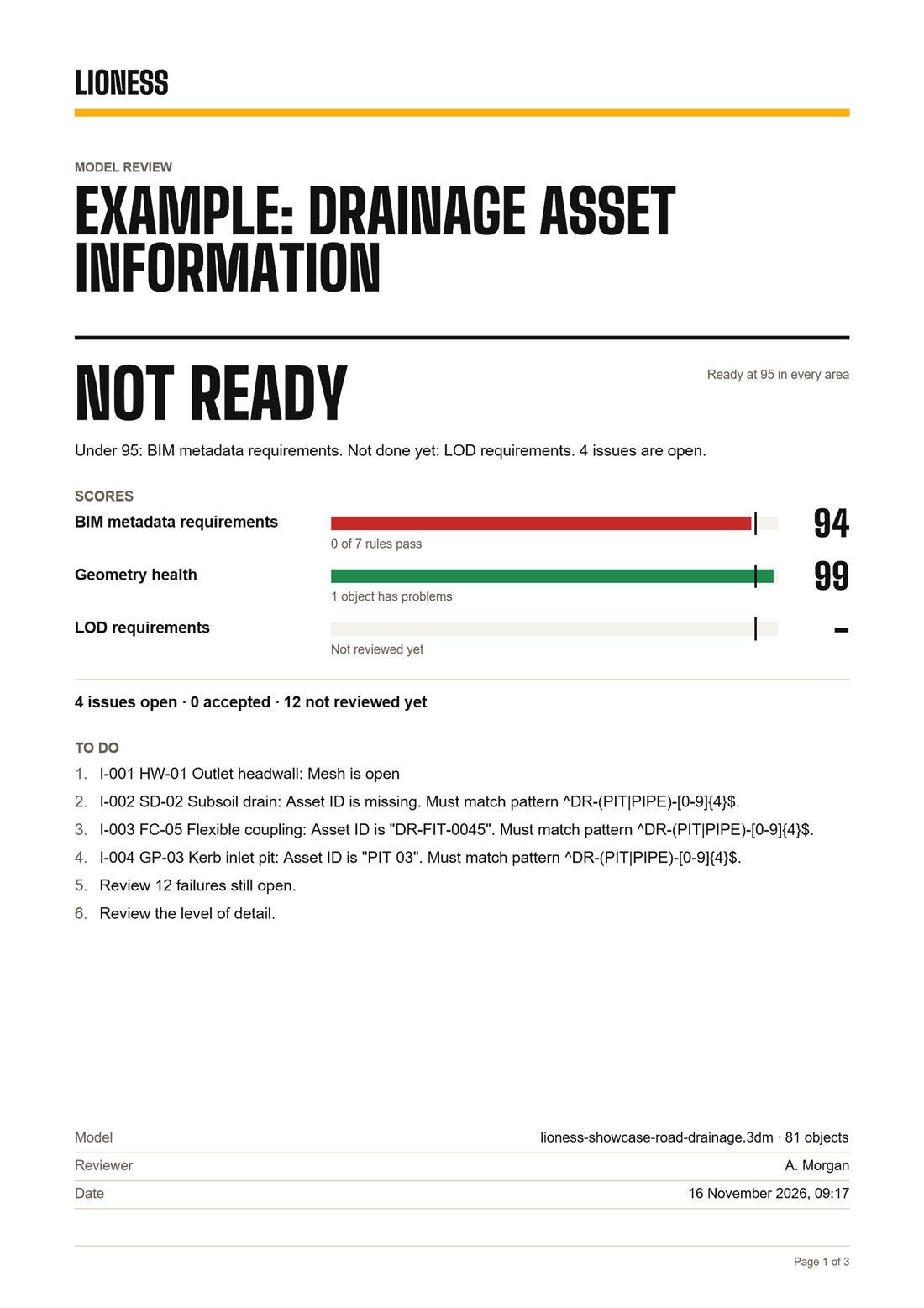
Export a PDF report, a spreadsheet of every object, and a BCF file for your issue tracker.
Rhino 8 for Windows
Optional, through Rhino.Inside.Revit
Free
In Rhino
Real screens from a road drainage model.
Questions
Does Lioness change my model?
No. Lioness reads your model. A Revit file is never changed. Your review notes are saved with the Rhino file.
Do I need Revit?
No. Lioness works on any Rhino file. If you have Revit, you can bring a model in through Rhino.Inside.Revit.
Does it work on a Mac?
Not yet. Lioness runs on Rhino 8 for Windows.
What does it check?
BIM metadata against the rules you choose, the health of the geometry, and level of detail through a short guided review where you mark each object type pass or not pass.
Can I use my own rules?
Yes. Add your project's rule file from the Check step and Lioness uses it straight away.
What do I get at the end?
A PDF report, a spreadsheet of every object, and a BCF file you can open in your issue tracker.
Is it really free?
Yes. Free for personal and commercial work, on any number of computers.
Terms
Lioness is free to use. These are the terms.
Free to use
Lioness is free for personal and commercial work, on any number of computers.
Your files stay with you
Lioness runs on your computer. Your models and reports are never sent anywhere.
No warranty
Lioness is provided as is, without warranty. It supports your review, and the judgement and sign-off stay with you.
Liability
To the extent the law allows, the author accepts no liability for loss or damage arising from the use of Lioness.
Changes
These terms may change as Lioness develops. The current version is always on this page. Updated November 2026.
Contact
Questions, problems and suggestions are welcome.
lioness@threede.com.au